Get the Best Tennis Tips and Offers!

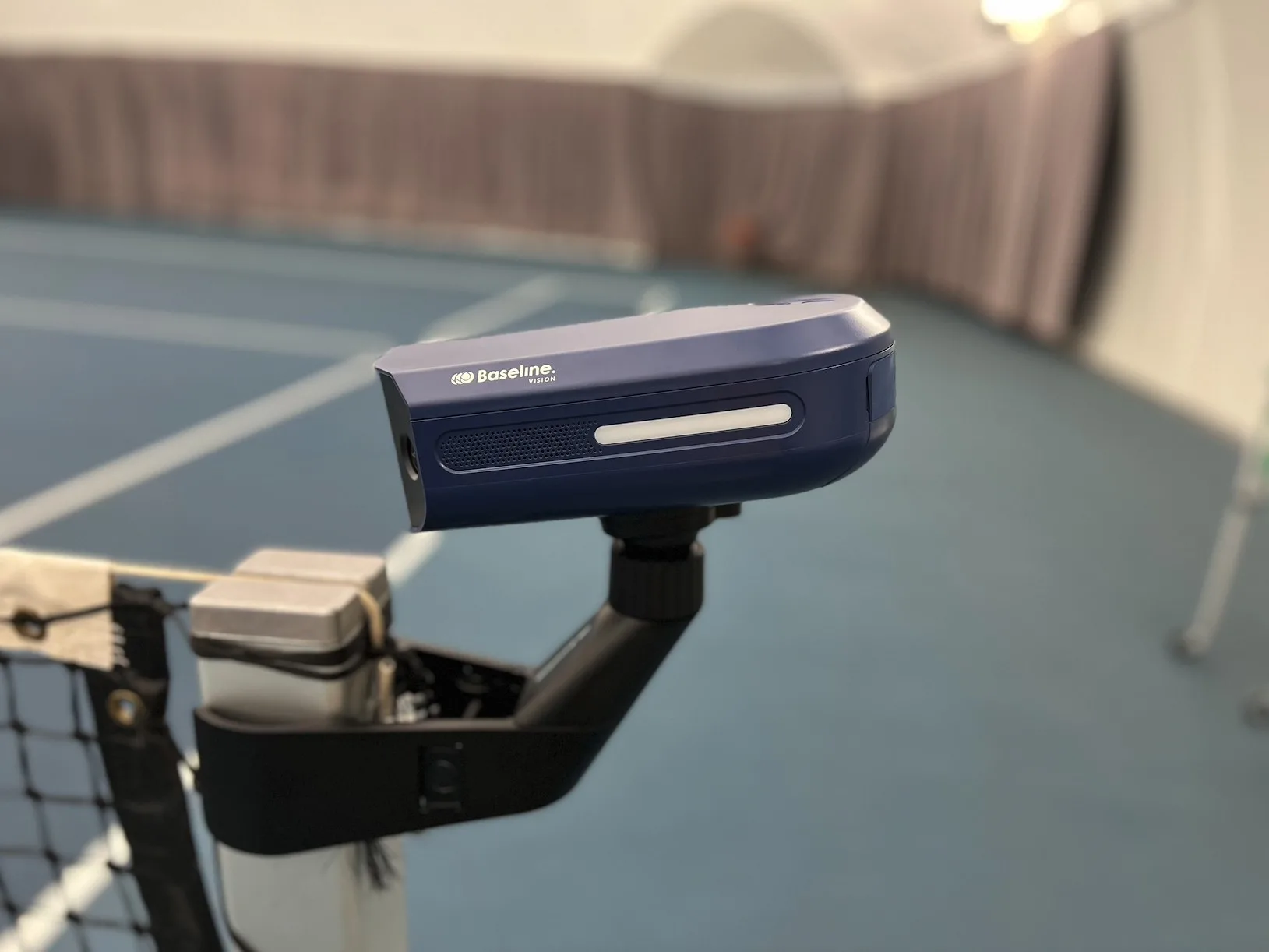
This article features a detailed review and playtest of Baseline Vision, a portable tennis line-calling device. The camera was provided in exchange for an honest review.
Baseline Vision is an ITF-approved portable line-calling device. It is available worldwide with free shipping and a 30-day trial period. The system includes two main components: the device and a smartphone application.
Price: $2000 / 1800€ ($100 discount with the code: LEO1)
Buy here*
Money-back guarantee: Try risk-free for 30 days and return for full refund
Weight: 3.3 pounds / 1.5 kilograms
Storage: 256GB hard drive = 5 hours of gameplay
Warranty: Free from defects in materials and workmanship under normal use for 2 years from the date of purchase by the original purchaser
Baseline Vision can be used for:
Considering its compact size, Baseline Vision offers a surprising number of features.
Here’s a more detailed look at these features:
It takes about a minute to attach the unit to the net post and connect it to your phone. The setup includes two parts: the clamp and the camera itself. The clamp attaches to the net post using two round grips that press from opposite sides. If your net post is square-shaped, there’s an adapter included that helps it fit securely.
Once the clamp is in place, you slide the main unit into a mount on top. Activating the device takes around 15 seconds — just open the app on your phone and either scan the QR code on the unit or type in its unique code. After that, the device does a quick scan of the court to detect the lines, and then it’s ready to go.
The Baseline Vision unit uses two Full HD cameras, one on each side, that record at 60 frames per second to enable automatic line calling. An onboard AI processor analyzes the live video to calculate key shot details like speed, trajectory, and even player positioning.
Interestingly, the system doesn’t need to see the entire path of the ball to make an accurate call. Because it uses predictive calculations, it can still determine shot placement even if a player blocks the view. This is especially useful during doubles play when teammates might step in front of the ball.
In addition to the cameras, the unit includes two built-in LED lights and two speakers to help signal line calls both visually and audibly.
Baseline Vision offers a player’s application for both iOS and Android users. From the player’s application, you can start matches, drills, and see statistics from live and previous sessions.
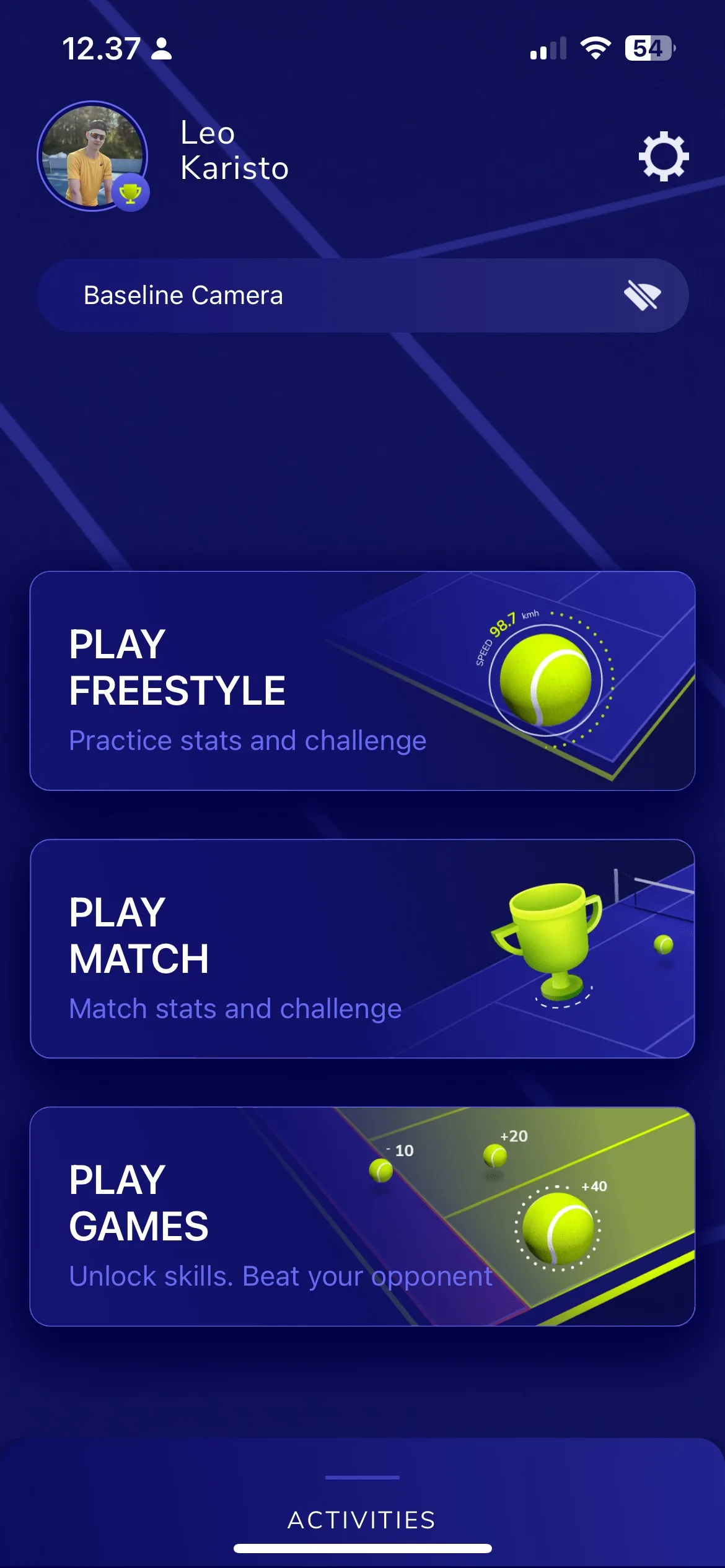
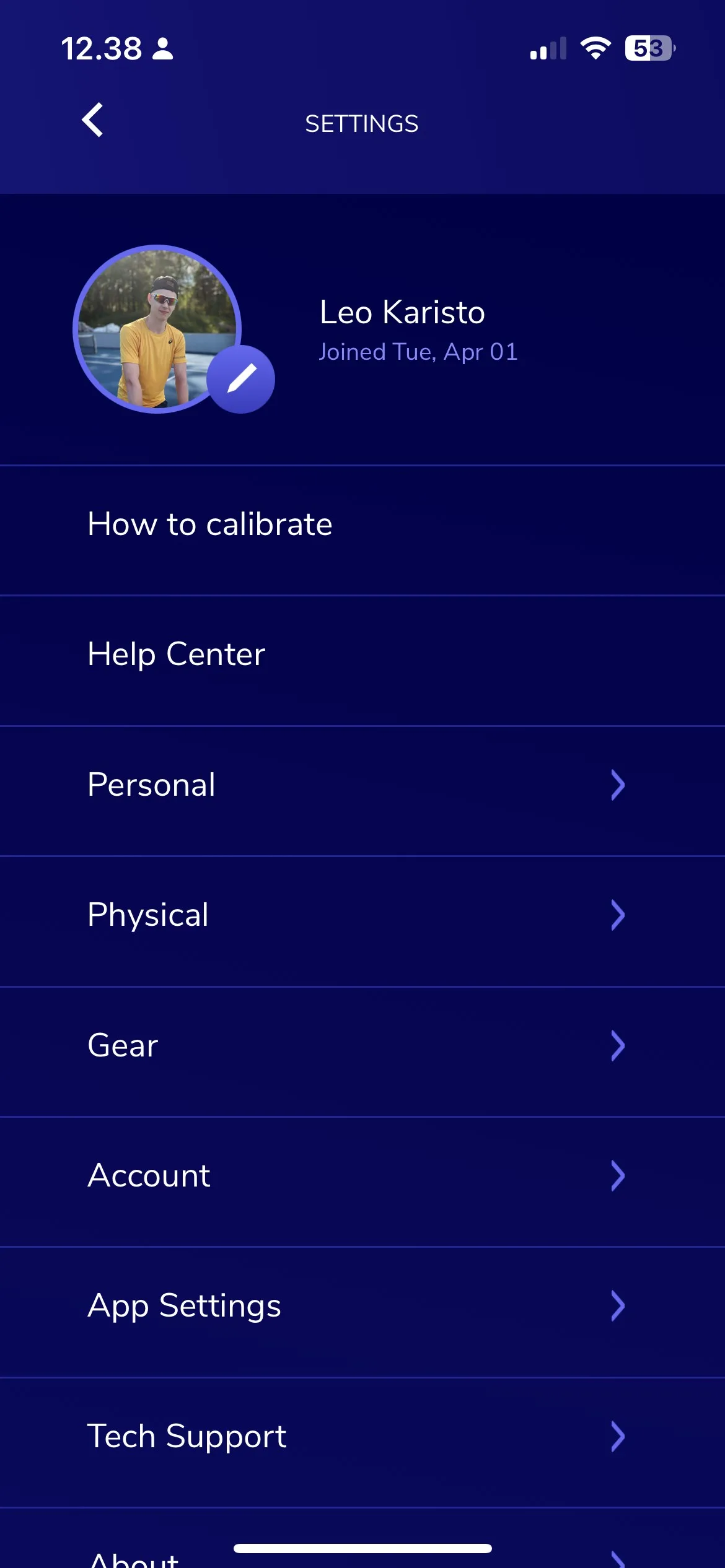
The Baseline Vision mobile app features two gamified drills at the moment.
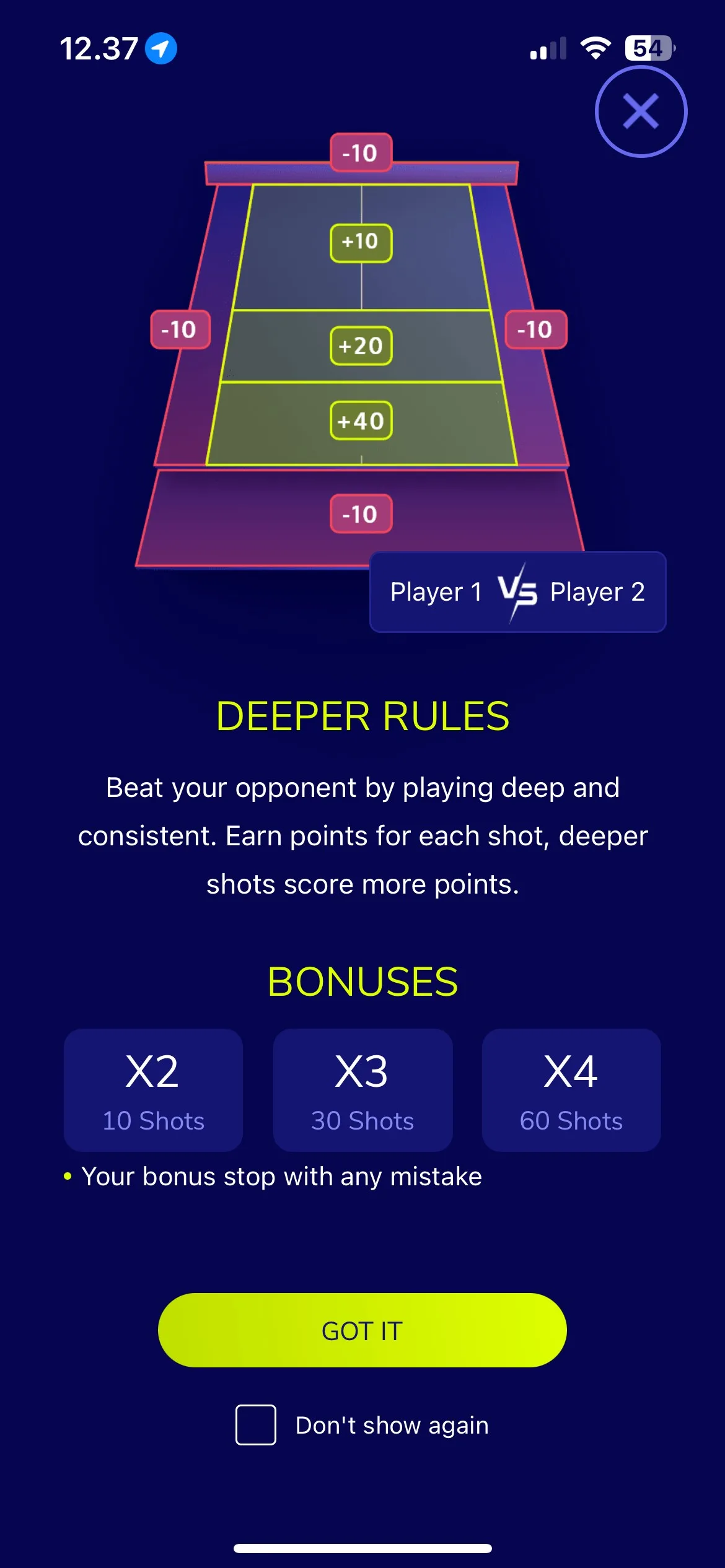

In the Deeper drill, the players have a time limit of 5 minutes to rally as well as they can. The deeper the ball lands, the more points the player gets. For consecutive shots that land inside the court, there are score multipliers, and if the ball lands outside of the court, the player receives minus points.
In the 2-minute challenge, the players have, as the name suggests, two minutes to make as many shots as possible. In addition to the shot count, players receive extra points depending on the shot speeds.
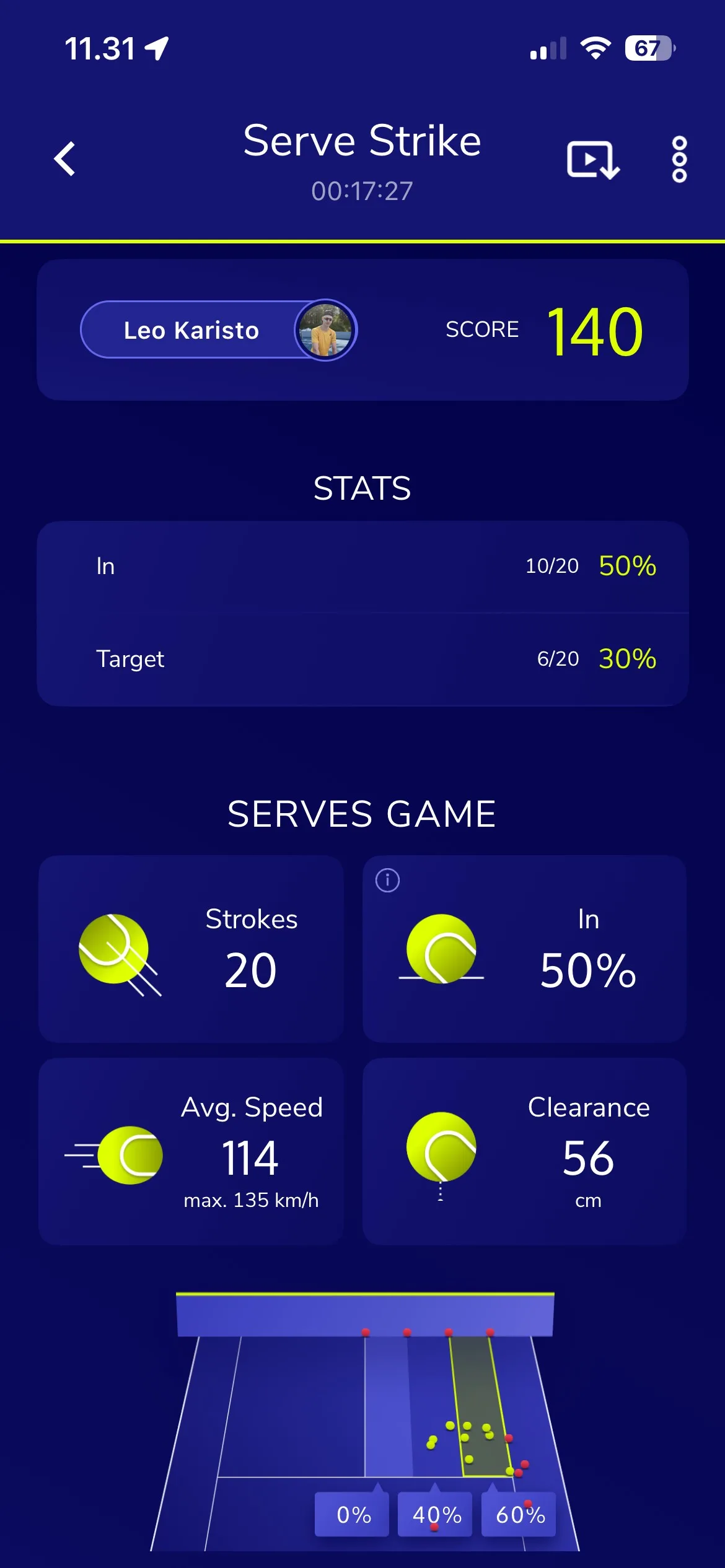
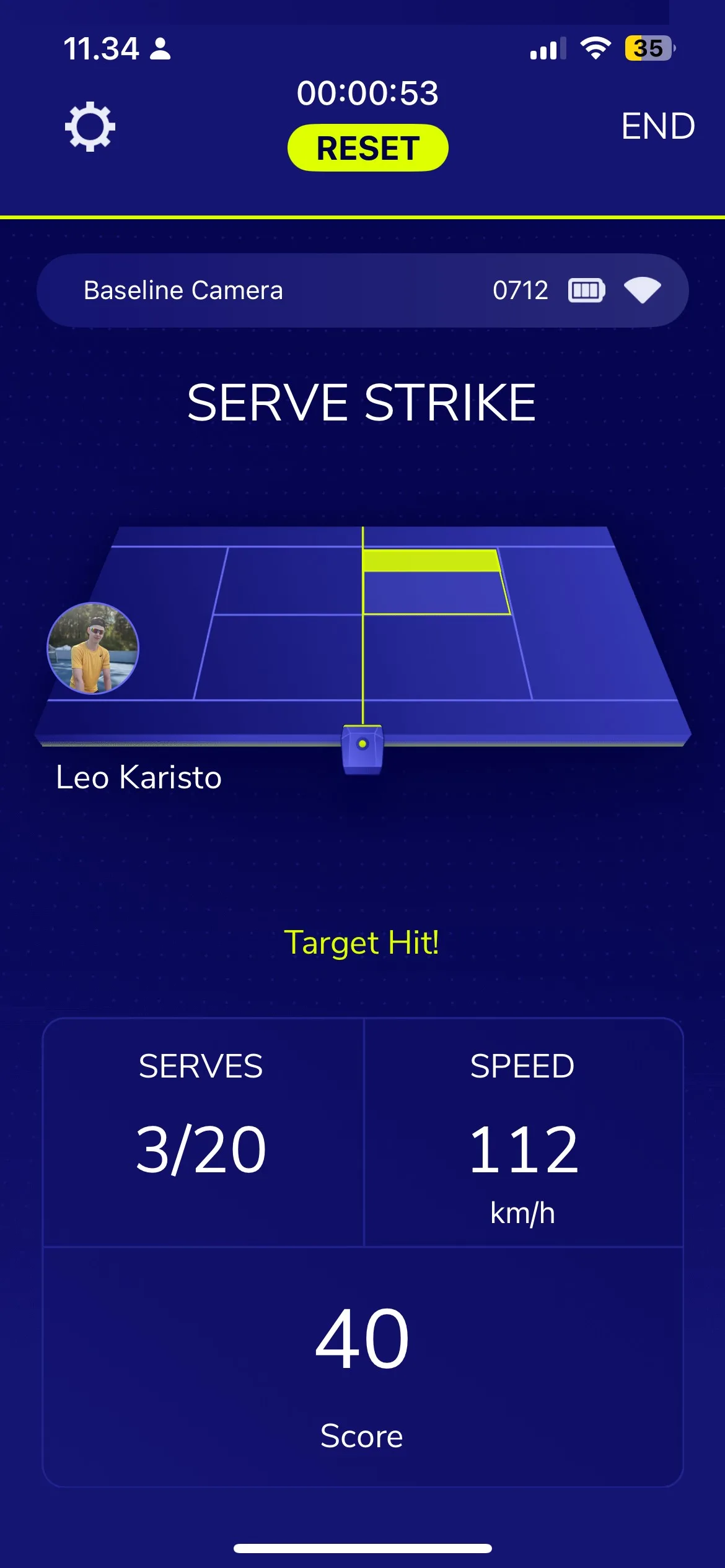
The Serve Strike Drill is a single-player activity where the player is given different target areas to serve to. Harder areas, such as the edges of the service box, award more points, and higher serve speeds also grant a multiplier.
From my experience, this drill works rather well, but since it’s the newest drill, it can feel slightly unpolished at times. Serve speeds can be inconsistent, and occasionally the camera misses the landing area.
Overall, Serve Strike is a good addition to Baseline’s drills, and after a few updates I believe it can become consistent enough for more precise training.
The Baseline Vision camera is able to track:


In official matches:
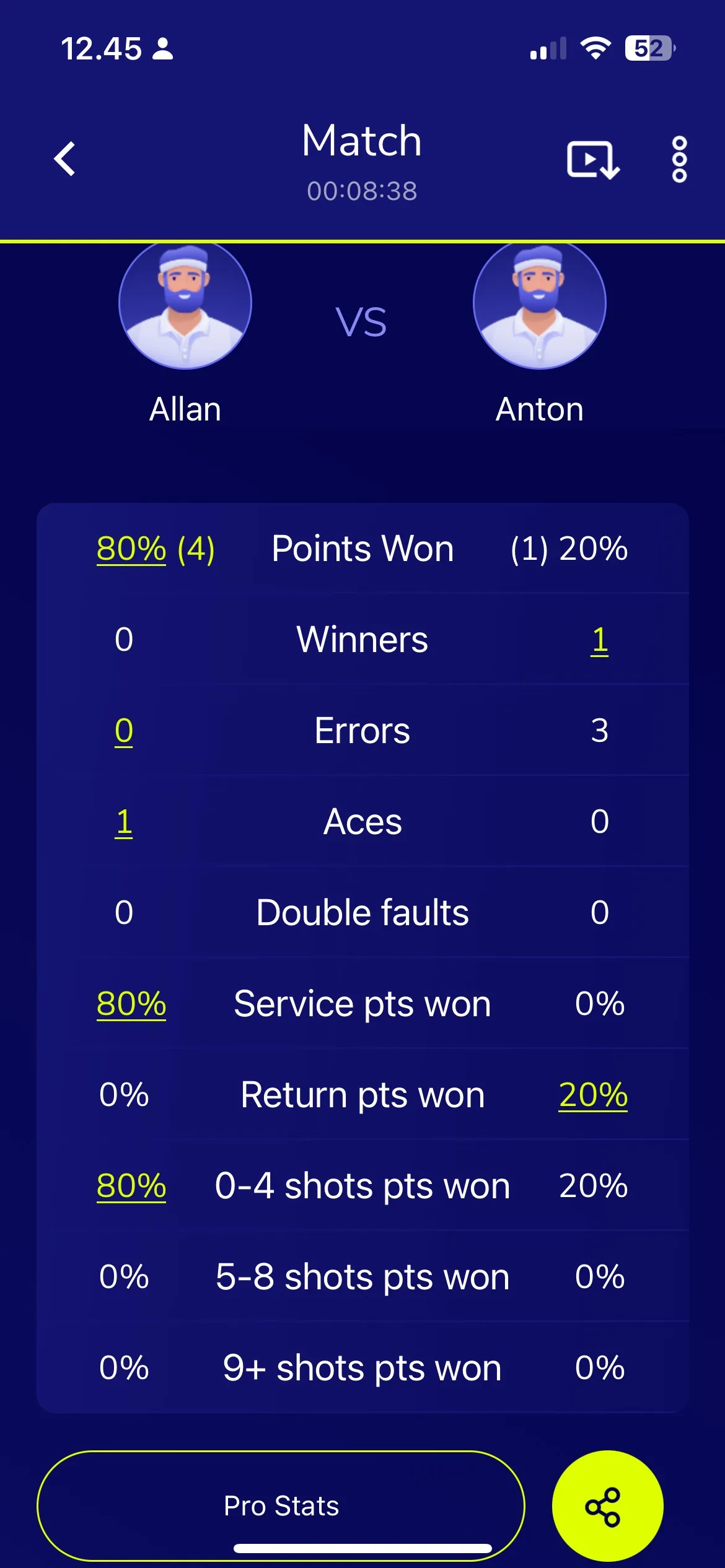

The Baseline unit also records video of your sessions, whether it’s a practice drill or an official match. You can review your play frame by frame, which is great for spotting details you might miss in real time. Currently, the recordings don’t include timestamps for specific shot types, but this feature is expected to be added soon.

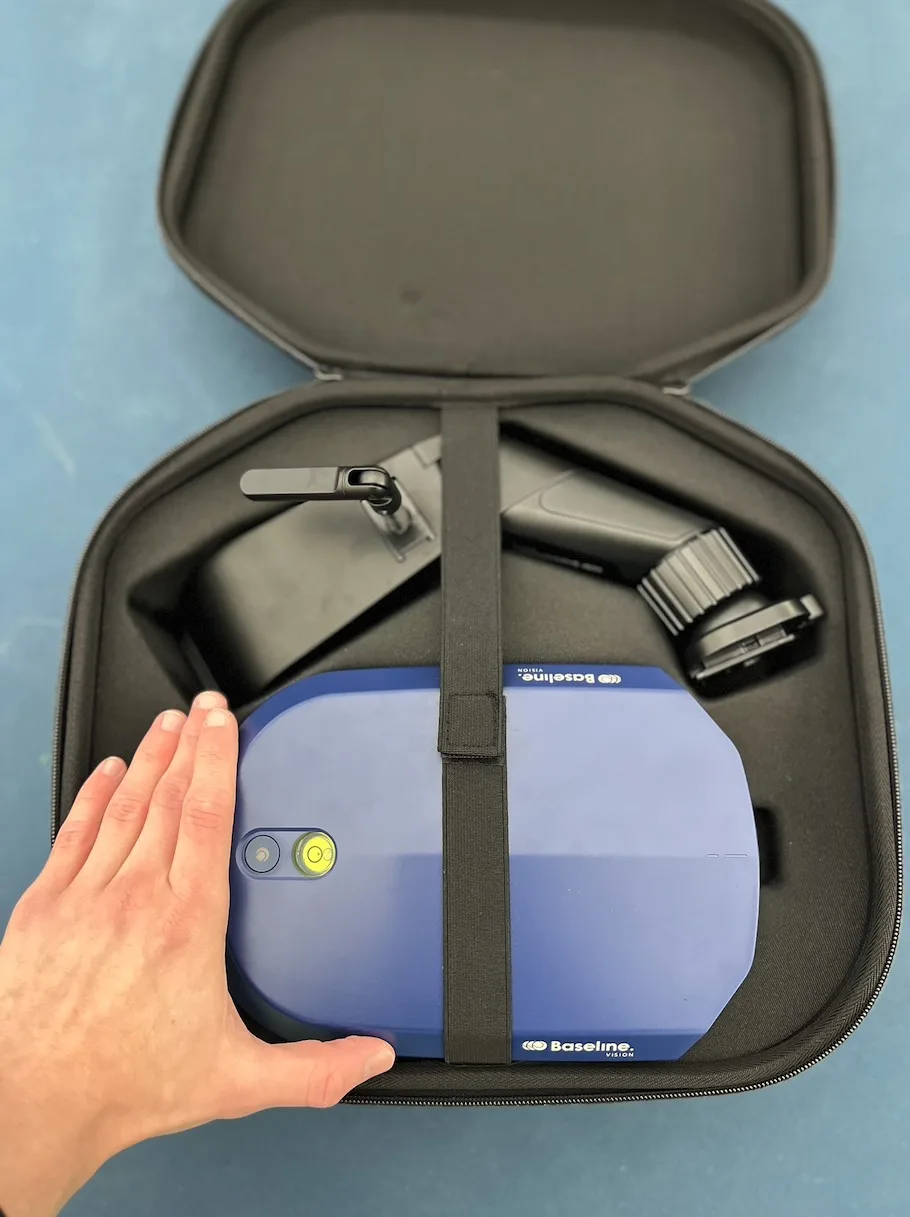
Unlike larger, stationary line-calling systems like Zenniz, Wingfield, and FoxTenn, the Baseline Vision unit is fully portable and approved for air travel on most airlines. It weighs just 3.3 pounds (1.5 kilograms) and comes with a high-quality carrying case and a shoulder strap, making it easy to transport from court to court.
The dimensions of the items


When ordering a Baseline Vision camera, the box comes with:
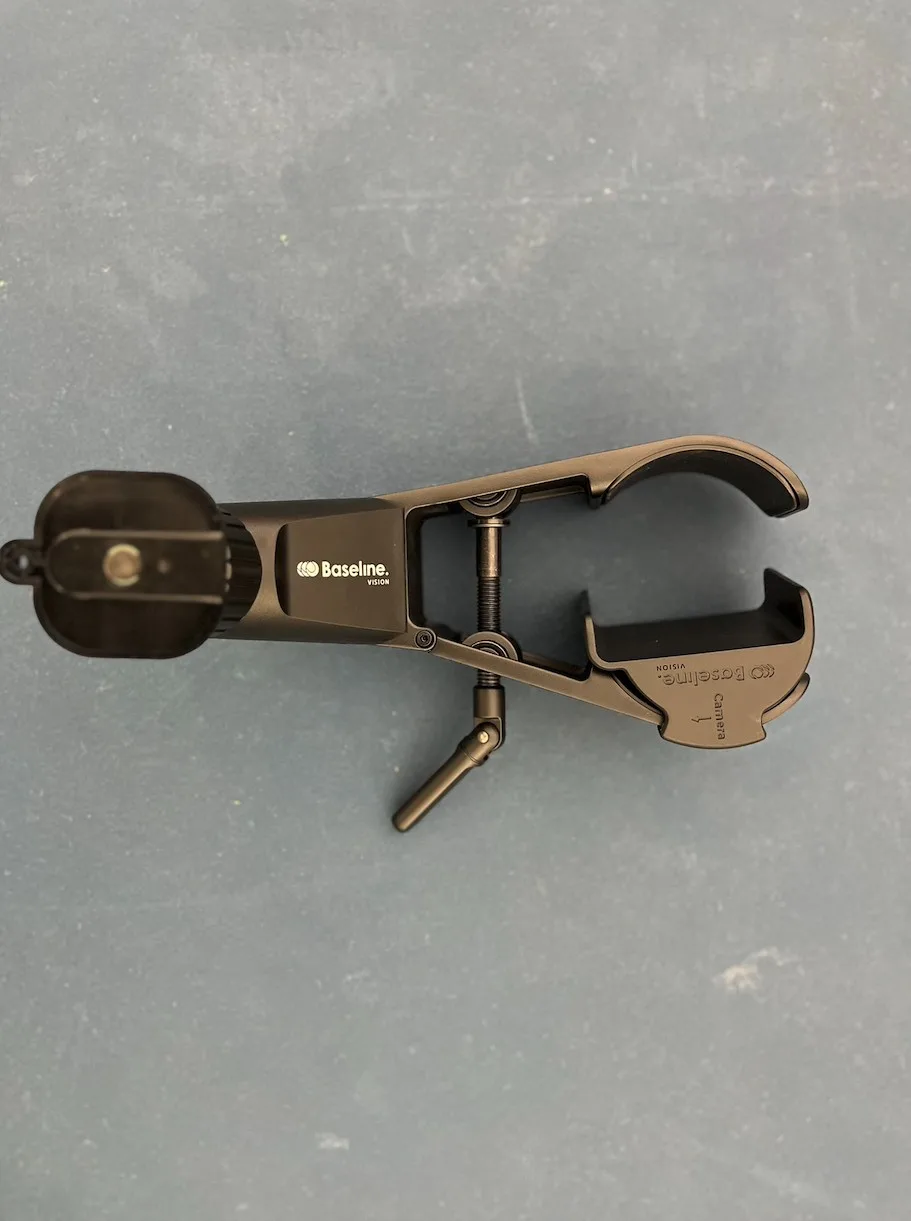
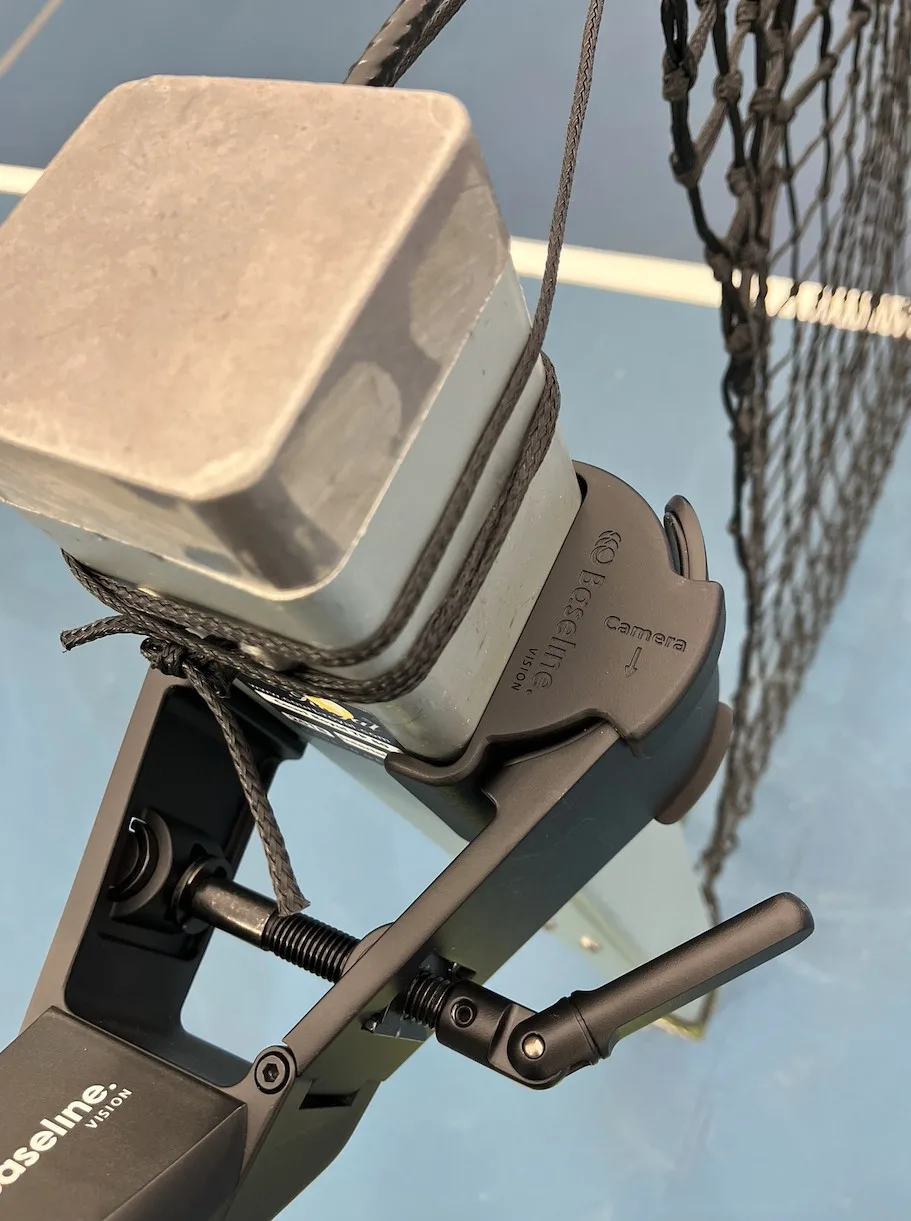
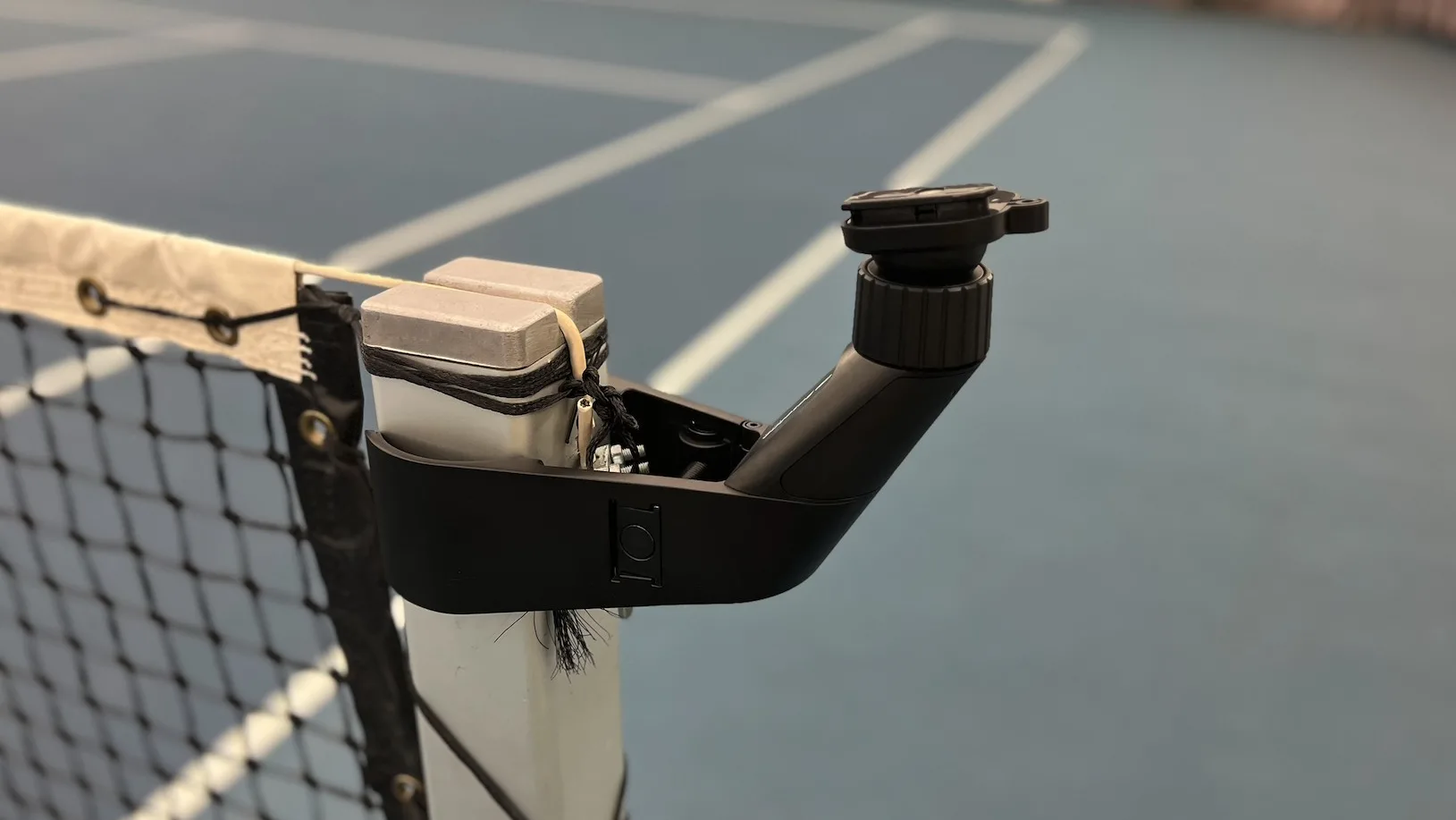

When I received the Baseline Vision, I was surprised by the build quality. Given the $2,000 price tag (around 1,800 euros), I had pretty high expectations, and the device didn’t disappoint. The carry-on case is well-made and it feels sturdy and durable, which is important for a portable line-calling system since it needs to withstand frequent transport.
Inside the case, there are two molded compartments for the camera unit and the clamp. The moldings are precise, so both pieces fit snugly without any rattling when you carry the case. There’s also a vertical Velcro strap inside that adds an extra layer of stability and keeps everything secure.
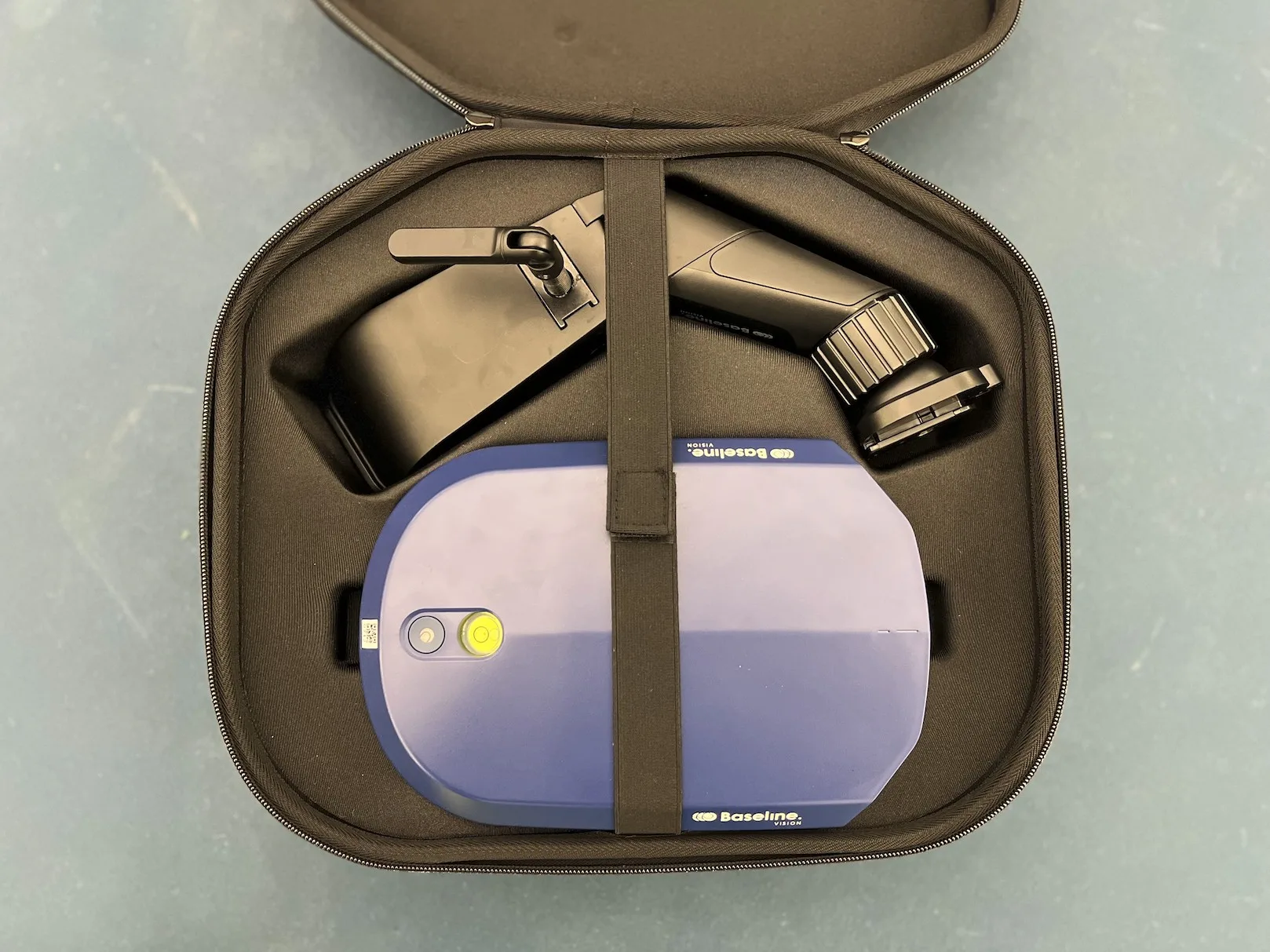
The camera itself feels solid and well-built. The plastic does not come across as cheap or flimsy. On the back, there is a thick rubber flap that covers the charging port, Ethernet port, and external battery. The flap is easy to open and close, but my only concern is the rubber hinge, which feels like it might wear out over time with frequent use.

While the overall experience with the Baseline Vision was great, I did come across two small points that could be improved.
Lack of Manuals
The package didn’t include any printed manuals, only a leaflet directing me to an online guide. While the web guide was easy to follow, having a paper manual would have been more convenient. One thing I had to figure out on my own was how to use the power button. Without any instructions, I wasn’t sure how to properly power the device on and off or what other functions the button might have.
Also, while the Baseline Vision has lots of cool features, the guides for them are scattered across several YouTube videos, which can be a bit time-consuming to piece together.
Battery Percentage
There are two ways to check the battery percentage on the camera: you can remove the battery and press the “test” button on it, or connect the camera to your phone. Both options work, but they aren’t very convenient if you’re in a hurry to get on court.
It would be much easier if the battery level could be displayed with the press of a button on the device itself. Since the camera has two LED panels on each side, they could be used to show battery status at a glance.
I tested Baseline Vision with one advanced and one intermediate skill-level colleague.
For this playtest, I played against advanced opponents on two different occasions, using the “Play Match” mode. Since we were playing in a tennis bubble with another court nearby, we turned off the volume to avoid disturbing the other players.
During the matches, everything worked smoothly, and I didn’t notice any issues. Similar to Zenniz’s line-calling system, players have to manually enter the scores even though the line calls themselves are automated. Baseline Vision’s app follows the same routine—after every change of ends, you need to update the scores in the match interface.
It takes a little effort, but it’s not a big deal, and as far as I know, there aren’t any line-calling systems that update scores automatically yet.
One thing my advanced colleague really appreciated during the match play was the Challenge feature. When playing a proper tennis match, things tend to get more serious, and since players usually call their own sides, debates over important points often happen.
Thanks to Baseline Vision’s Challenge function, these debates were quickly resolved. We could simply check the app on our phones to review the last five shots and make sure the calls were correct.
For important matches in the future, I definitely try to use the Challenge feature as much as possible. It helps you stay focused on the game without getting distracted by line-calling arguments with your opponent.
For this playtest, I booked a court for one hour because my opponent was more interested in testing Baseline Vision’s gamified drills rather than playing an official match.
We played outdoors at noon on a clear day. The temperature was around 68 degrees Fahrenheit (20 degrees Celsius). To our surprise, the camera unit did not heat up as much as we expected. During play, the unit felt warm but never hot. This was a positive surprise because it suggests the battery life will hold up well even in warmer conditions, since the camera itself does not overheat.
We spent the first 20 minutes warming up and used the “Play Freestyle” feature to test the camera. I let my colleague set up the camera to see how easy it was since he was not familiar with Baseline Vision. He watched the two-minute and forty-second setup video because he wanted to make sure he set the device up correctly.
After watching the video, I handed him the carry-on case and let him set up the camera unit on the net post by himself. It went really smoothly, and he managed to do it in about one minute. The only thing he forgot was aligning the camera using the spirit level on top. Activating the camera was just as easy—he simply took a picture of the camera’s QR code, and that was it.
Since we played in sunny conditions, the LED indicators on the side of the camera were hard to see during line calls. That wasn’t a big deal, though, because we had the sound indicators turned on, which clearly told us whether the ball was in or out.
After warming up, we switched to the “Deeper” challenge, where the goal is to hit shots as deep as possible to score points. Each challenge lasts five minutes, and it’s difficult to keep track of the score since you can’t be looking at your phone while playing. Baseline Vision solves this problem by using sound cues to keep you updated.
During the challenge, the camera provided commentary on the score, so we always knew who was leading. It also announced when we hit a score multiplier. Even though we couldn’t keep track of the score on our phones while playing, the sound cues made sure we stayed updated on how the game was going. We ended up playing several “Deeper” challenges because the time limit felt just right, and the score multipliers kept things fun and rewarding.
However, since I was more experienced than my opponent, it was difficult for them to rack up many points because their shots weren’t consistent throughout the challenge. I think this challenge works better for players with similar skill levels; otherwise, the more experienced player tends to have to compensate for the difference.
After the “Deeper” challenges, we switched to some serve practice using the “Play Freestyle” mode. The sound cues were a great help here as well. The camera recognized that we were practicing serves, and every time a serve went out, it played an “Out” message through the speakers. This felt very intuitive because we didn’t have to tell the camera we were serving—it picked it up automatically.
All in all, the playtest with the intermediate player went really well, and my opponent was quite surprised at how capable such a small device actually is.
All in all, Baseline Vision delivers on its promise: a portable line-calling device packed with detailed stats, analytics, and fun game modes.
Its biggest selling point is portability, which is executed very well. The device is relatively lightweight, weighing just 3.3 pounds (1.5 kilograms). It comes with a high-quality carry-on case that holds all the necessary components and is accepted by most airlines. For a device about the size of a regular iPad in height and width, it offers a solid battery life of five hours and a standby time of twenty hours. The camera itself feels sturdy and durable. The only minor material concern is the rubber flap’s hinge, which might wear out over time.
On the technical side, Baseline Vision’s operating system runs smoothly, and connecting your phone to the camera is simple. The Baseline app provides a wide range of features, including various game modes, detailed statistics, and video recordings. The stats cover everything from average shot speeds to the returning player’s shot positioning.
The only drawback from a technical standpoint is the connection between the phone and the camera. Sometimes, if the phone gets too far from the camera, the connection drops, and you have to wait for it to reconnect before you can view stats or select a new game mode. The reconnection happens automatically, and you don’t lose any statistics or video, but it does interrupt the flow since you have to pause for a moment.
The main question many will have is whether Baseline Vision is worth the hefty $2,000 (1,800 euros) price tag. The answer really depends on how you plan to use it and who you are as a player. If you are a tournament organizer or a serious coach interested in line calling and detailed statistics, I would say it is worth the price. For the cost, it offers precise line calling and comprehensive stats in one portable, lightweight package.
However, if you are a more casual or intermediate player, it might not provide the same value. While it does offer fun, challenging, and rewarding gamified drills, if you are not very interested in line calling or statistics, you might wonder if it’s enough to justify the investment.
You can buy Baseline Vision directly from their website here*. The whole package costs 2000 dollars / 1800 euros.
$100 discount with the code: LEO1, insert the code in the checkout phase
When I received my Baseline unit, I had a meeting with Baseline’s CTO to discuss upcoming features and future developments. These are the features that they have planned to add in the future:
To enjoy all the features, make sure your camera unit is updated to the latest version. Here’s how to do it:
Note: At the moment the QR connect doesn’t work well so I suggest you to connect manually.
baselineXXXX.localbaseline712.localCan the Baseline camera withstand a direct hit from the ball?
Yes, but it may move out of position, and you will need to realign it. The case is also covered by a warranty in case of damage from the ball.
How long will the battery last?
The camera comes with a 100Wh battery that lasts about 4 hours of play and 20 hours on standby. If the camera isn’t fully charged before use or is used in hot weather, battery life may be shorter. If there is an electrical socket available at your court, you can plug in the device and use it continuously. This will also charge the battery, similar to a laptop.
Is the camera waterproof?
The camera has an IP33 rating, which means it can handle rain but is not designed to withstand rain for extended periods.
Will the camera differentiate serves from ground strokes?
Yes, the AI can distinguish serves from ground strokes.
How much storage does the camera have?
The camera has a 256GB hard drive, which can record about 5 hours of gameplay. When the storage is full, it will start deleting older recordings automatically.
Will bright conditions affect the camera’s performance?
High contrast may affect calibration accuracy slightly, leading to less precise line calls. However, the advanced trajectory calculations compensate for this since the camera does not need a perfect view of the lines.
Does Baseline Vision work on grass courts?
Yes, as long as the lines are clearly visible.
Can you use two cameras together?
Yes, using two cameras improves accuracy and is ideal for official tournament use.
Can I switch between imperial and metric units?
Yes, you can switch measurement standards from the mobile app menu.
Can the system be configured for pickleball or padel?
Currently, the camera only supports tennis courts. However, Baseline Vision is actively developing versions for pickleball and padel.
Does the analytics work for left-handed players?
Yes. When creating your profile, you can set your dominant hand, allowing the AI to accurately distinguish between forehand and backhand strokes.
Will the camera work for doubles matches?
Yes, the Baseline mobile app allows you to select between singles and doubles modes before starting a match.
Can the camera be rented for tournaments?
In specific locations yes, contact info@baselinevision.com for more info.
What kind of warranty does the camera have?
Baselinevision has a warranty that covers defects in materials and workmanship under normal use for 2 years from the date of purchase by the original purchaser.
Are there any ongoing deals when buying the camera?
Yes, $100 discount with the code: LEO1